

Stop Doorway Penalties: Service Area Pages for Local Service Businesses
Yes, build service area pages if you serve customers across multiple cities without a storefront in each one. Done right, they capture city-specific searches your homepage never will. Done wrong, they read as templated filler and risk a doorway page penalty. A handful of genuinely useful pages, backed by schema markup and tracked through Google Search Console, beats many thin ones every time.
TL;DR:
- Building a small number of high-quality service area pages with unique local content and schema markup improves local search visibility more than numerous thin pages.
- Pure mobile or field-service businesses need only service area pages, while companies with a physical office may require both location and service area pages, carefully canonicalized to avoid competition.
- Over-relying on templated city pages that lack unique details risks creating doorway pages, which Google can penalize, so grouping lower-volume towns under regional hubs is advised.
- Regularly tracking search impressions, clicks, and conversions via Search Console and GA4 is necessary to evaluate the real effectiveness of each service area page.
- Agencies are recommended for large-scale SAP programs, especially when managing schema, internal linking, and ongoing testing, whereas small businesses can often handle a handful of key markets in-house.
Table of Contents
- What Are Service Area Pages For SEO?
- Service Area Pages vs. Location Pages: Which Do You Need?
- How Do Service Area Pages Help Local SEO?
- How Do You Optimize a Service Area Page? A Practical Checklist
- Are Service Area Pages Doorway Pages? How to Avoid the Risk
- How Do You Measure Service Area Page Performance?
- How PHENYX Approaches Multi-City SAP Programs
- DIY or Agency: Who Should Build Your Service Area Pages?
- How Phenyx Can Help With Service Area Page SEO
- Sources
What Are Service Area Pages For SEO?
A service area page (SAP) is a dedicated landing page built for a city or region a business travels to serve, rather than a place it operates from. Search Engine Land defines them as landing pages that promote the locations a business serves, distinct from location pages tied to a physical address.
The difference matters. A location page says “we’re here.” An SAP says “we come to you.” Plumbers, HVAC technicians, mobile notaries, pest control companies, and delivery-based services all lean on SAPs because they have one office but a dozen towns worth of customers.
A few ground rules for structure:
- Keep the URL simple: yoursite.com/service/city, not a jumble of parameters.
- Put the city and service in the title tag, in that order or reversed, but keep it readable.
- Avoid stuffing five cities into one page title. One page, one city.
- Skip the SAP entirely if you cannot write anything unique for that town. A missing page beats a hollow one.
Service Area Pages vs. Location Pages: Which Do You Need?
Search intent gives away which page type wins. Someone typing “AC repair Fort Worth” wants a business that services Fort Worth, even if the shop sits twenty miles away. Someone typing “AC repair near me” or “AC repair open now” is often standing near a physical storefront and wants walk-in access.
That split shapes your setup:
- Pure mobile or field-service businesses need SAPs only. No storefront, no location page, just clean service area content per city.
- Businesses with one office and a wide travel radius need both: a location page for the office address, SAPs for the surrounding towns.
- Multi-location retailers need location pages first, and SAPs only for outlying areas the stores don’t directly cover.
For hybrid setups, canonicalize carefully. Don’t let your location page and your SAP for the same city compete for the same query. Link between them with clear labels (“Serving greater Dallas from our Fort Worth office”) so Google, and the reader, understand the relationship instead of guessing.
How Do Service Area Pages Help Local SEO?
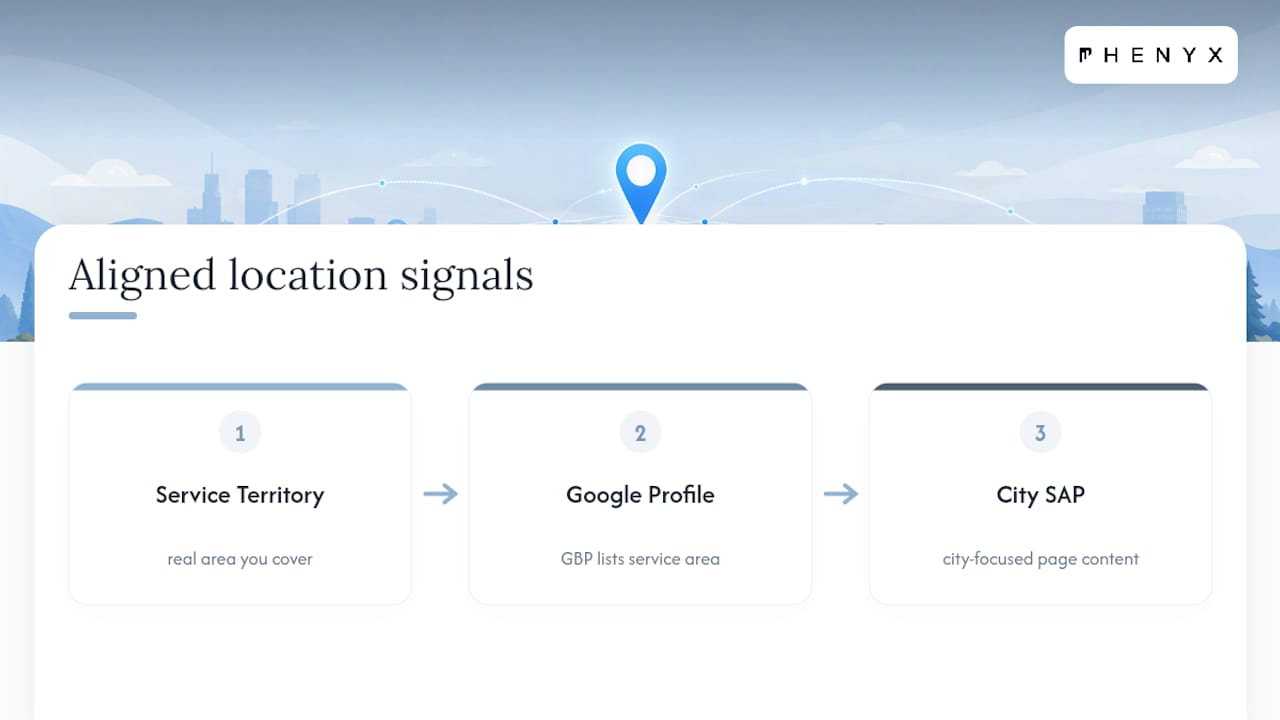
SAPs work because they match language to intent. A page titled “Water Heater Repair in Lafayette, CO” answers a query that “Water Heater Repair” alone never will, and it gives Google’s algorithms and your Google Business Profile aligned signals about where you actually operate. Google’s own guidance for service area businesses confirms that GBP listings for mobile or field-based companies should reflect the real territory a business covers, and your website content should say the same thing.
Quick data point: BrightLocal’s guidance on service area page SEO notes that businesses succeed with SAPs when they prioritize a shorter list of high-value cities with real content, rather than blanketing a region with dozens of near-identical pages.
Expect gradual movement, not a sudden spike. Most service businesses start seeing impressions shift in Search Console within a few weeks of publishing a genuinely unique page, with rankings settling in over time. SAPs won’t help if your core website is thin or your main service pages are weak. Fix the foundation first, then expand outward city by city.
How Do You Optimize a Service Area Page? A Practical Checklist
Here’s the order that actually moves the needle, based on what separates SAPs that rank from SAPs that quietly sit on page four.
- Write real local content. Reference actual neighborhoods, common local issues (hard water in one region, older housing stock with outdated wiring in another), and, where you have it, a short case study specific to that city.
- Put a clear local call to action above the fold. Click-to-call buttons, a scheduling widget, and a local phone number if you have one perform better than a generic “contact us” form buried at the bottom.
- Add LocalBusiness or Service schema. Schema helps search engines parse your service area, hours, and contact details correctly. A handful of free schema generator tools exist online if you’re not coding this by hand.
- Make sure the page can actually be crawled. Some websites bury their service areas behind a JavaScript store locator that search engines can’t parse. An HTML sitemap listing every SAP, alongside your XML sitemap, solves this.
- Structure the page with a clear headline, a service breakdown, and testimonials. Aim for enough real content to feel substantial, generally several hundred words, not padded, just genuinely informative.
Pro Tip: Link directly from your Google Business Profile and your homepage’s service menu to the specific SAP that matches the query, not just to your homepage. A reader who lands on a generic homepage after clicking a “Denver plumbing” listing bounces faster than one who lands on a page built for exactly what they searched.
Testimonials deserve their own line item. A rotating set of reviews pulled from your Google Business Profile, filtered by city where possible, adds the kind of local trust signal a templated paragraph never will. If you serve fifteen cities but only have reviews from three, start there and expand your review requests as you build out new SAPs.
Are Service Area Pages Doorway Pages? How to Avoid the Risk
Google’s own definition is blunt. Google’s Search Central blog on doorway pages describes them as large sets of low-quality pages created mainly to rank for narrow, specific queries, often swapping city names in with little else changed. Templated SAPs are exactly the pattern Google flags.
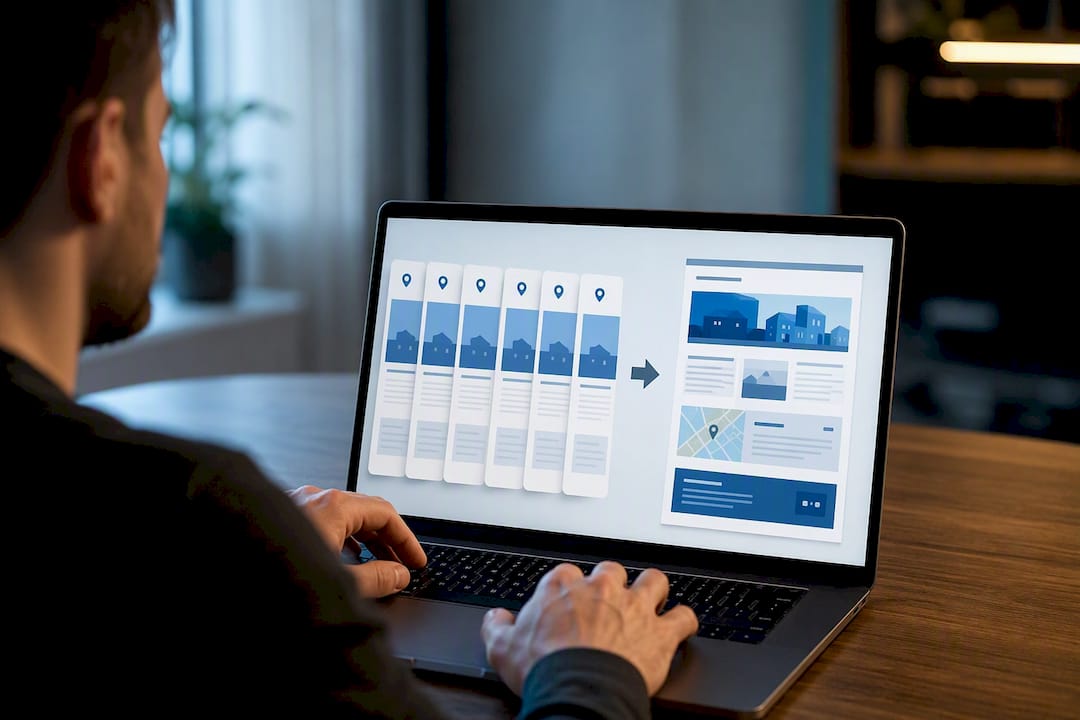
Audit your own SAPs with a simple test: strip the city name out of three pages and see if they read identically. If they do, you’ve built doorway pages, whether or not you meant to.
Fixes that actually work:
- Consolidate low-value city pages into a single regional hub page rather than keeping a dozen near-empty ones live.
- Add at least one truly local detail per page: a landmark, a climate factor, a service quirk specific to that area.
- Group smaller or lower-search-volume towns under one page instead of forcing a thin page for each.
- Prioritize your highest-value cities with full content and let smaller markets share a hub.
Fewer, stronger pages consistently outperform a large stack of thin ones, both for rankings and for the reader’s actual experience.
How Do You Measure Service Area Page Performance?
Google Search Console is your primary instrument here. Filter the Performance report by page, then check which city-containing queries are generating impressions and clicks for each SAP. If a page for “electrician in Tampa” gets zero impressions for anything mentioning Tampa after a few months, that’s a signal the page isn’t ranking or isn’t indexed at all.
Track it this way:
- Set up GA4 events for phone clicks, form submissions, and scheduling widget interactions on each SAP.
- Compare assisted conversions against direct ones. Many SAP visitors research over a few sessions before calling.
- Run simple A/B tests on title tags, meta descriptions, or CTA button copy, one variable at a time, over a four to six week window before drawing conclusions.
Data point worth tracking: Search Console’s own query and impression data is the most direct way to confirm whether a city-specific page is actually being served for the searches it targets, rather than guessing from rankings alone. For teams wanting a lighter-weight way to monitor rank movement across many city terms at once, tools built around the Google API for keyword tracking can help keep tabs on shifts without manual checking every week.
How PHENYX Approaches Multi-City SAP Programs
Most SAP rollouts fail for one reason: someone tried to scale before they had a single page worth scaling. A city page that reads like a mad-lib with the town name swapped in isn’t a local SEO asset. It’s a liability waiting for the next algorithm update.
Some agencies build SAP programs around a simple sequence: audit the existing site and current rankings, prioritize the cities with the strongest search volume and business fit, build genuinely unique pages for those markets first, then measure and adjust based on real Search Console and GA4 data rather than assumptions.
Three tactics come up often in multi-city work. First, group secondary towns under regional hub pages instead of building forty near-identical pages. Second, tie each SAP to a testimonial or short case study from that specific market whenever one exists. Third, link every Google Business Profile listing directly to its matching SAP rather than the homepage, a small change that consistently improves conversion rates. Related groundwork on Google Business Profile optimization supports this same alignment between listings and landing pages.
— PHENYX
DIY or Agency: Who Should Build Your Service Area Pages?
DIY works well if you’re targeting five or fewer key cities, have someone in-house who can write genuinely local copy, and only need basic tracking through Search Console. Once you’re scaling past that, juggling schema markup, internal linking, and ongoing testing eats time fast, and that’s when agency support pays for itself.
If you’re vetting a vendor, ask direct questions: how often will they report results, and can they show examples of SAPs they’ve actually built, not just described. Watch for a red flag that shows up constantly in this space: a proposal promising hundreds of pages in a matter of weeks with minimal unique content per page. That’s a doorway page factory with better branding.
How Phenyx Can Help With Service Area Page SEO
Building SAPs that actually rank, instead of triggering a doorway page flag, takes the kind of structured process a general contractor or a solo freelancer rarely has bandwidth for. Some agencies run SEO and AEO work in-house for service businesses in multiple metro areas, and the same process applies wherever your cities are.
An engagement typically starts with an audit of your current site and city coverage, followed by a prioritized roadmap for which markets to build out first and in what order. From there, implementation covers the actual page builds, schema setup, and the measurement framework to track what’s working in Search Console and GA4. If your current site can’t support a growing set of well-structured SAPs, a website redesign often comes first so every new page has a solid foundation to sit on. For teams that want the full picture on ongoing optimization rather than a one-time build, the SEO & AEO services page lays out what ongoing support looks like. Reach out through that page to talk through your current city coverage and get a sense of where the gaps are.
Sources
- Service area pages: Boost local SEO across locations — Search Engine Land
- An update on doorway pages — Google Search Central Blog
- How to Do Service Area Page SEO for Local Search Visibility — BrightLocal