Small Business Website Accessibility: 8 Fixes to Reduce Legal Risk
Public-facing small-business websites are generally expected to provide accessible access under Title III of the ADA, and WCAG 2.1 Level AA has become the practical benchmark for remediation. The fastest first move is simple: publish an accessibility contact on your site and schedule an audit.
TL;DR:
- Start with meaningful image descriptions, logical headings, labeled forms, captions, and keyboard access; these common barriers affect core tasks such as checkout and contact.
- Automated scans catch missing descriptions and markup errors, but manual keyboard, screen reader, and periodic assistive technology user testing can expose traps and confusing forms.
- Prioritize the homepage, busiest service or product pages, and checkout or contact flows, where traffic and practical legal exposure are greatest.
- Publish completed and planned fixes with a working feedback contact, and document responses to reports; seek legal or accessibility advice after a complaint.
Table of Contents
- Quick summary: what to do first
- Why the ADA applies to small-business websites
- What WCAG 2.1 Level AA actually asks for
- The fix list: what to tackle, in what order
- How to test your site without guessing
- What remediation costs and how long it takes
- Handling complaints and reducing legal exposure
- Our take: accessibility is a design decision, not an afterthought
- How we help small businesses fix this
- FAQ
- Sources
Quick summary: what to do first
Before diving into the legal background, here is the short version we come back to throughout this guide.
- Treat ADA obligations and WCAG 2.1 AA as the working legal and technical baseline for your site.
- Prioritize alt text, clear headings, labeled forms, keyboard access, and video captions first.
- Combine automated scans with manual testing and, periodically, real users of assistive technology.
- Publish an accessibility statement with a working feedback contact.
- Decide early whether your team can handle fixes in-house or whether an agency partner makes more sense for a full remediation.
Why the ADA applies to small-business websites
Title III of the ADA covers places of public accommodation, and the Department of Justice treats many commercial websites as an extension of that access when they offer goods or services to the public. That duty of effective communication applies almost regardless of business size, which surprises a lot of small-business owners who assume the law only reaches large retailers.
The Department of Justice has never finalized a single, detailed web accessibility regulation for private businesses. Instead, it relies on settlements, consent decrees, and statements of interest to shape expectations. That approach matters more than it sounds: the DOJ has recently opposed a proposed class action settlement for offering only vague promises of accessibility rather than enforceable, concrete steps. The message for small businesses is clear. Cosmetic fixes and generic statements carry real risk; documented, verifiable remediation does not.
In practice, WCAG 2.1 Level AA shows up repeatedly as the benchmark named in federal settlement agreements, even without a standalone regulation requiring it.

What WCAG 2.1 Level AA actually asks for
WCAG organizes requirements into four principles: content must be perceivable, operable, understandable, and robust. For a small-business site, that translates into specific, checkable items rather than abstract legal language.
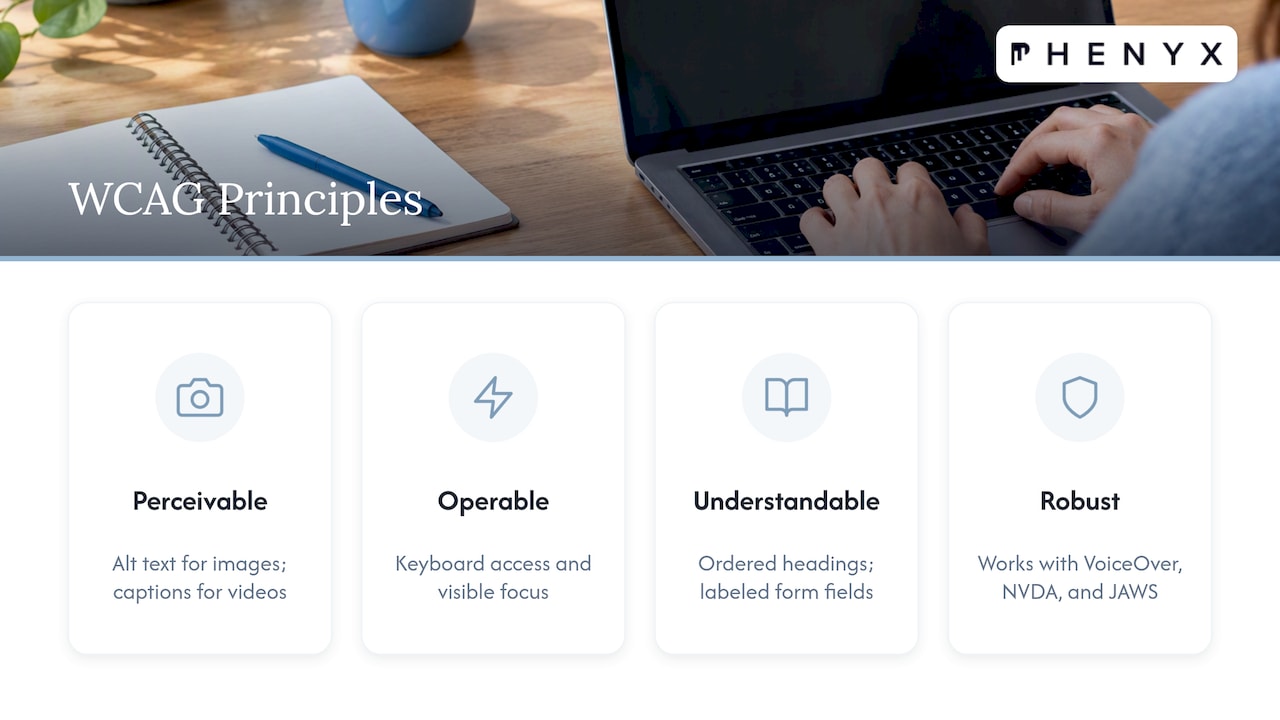
Perceivable means images carry alt text and videos carry captions. Operable means every interactive element, menus, forms, buttons, works with a keyboard alone, with a visible focus indicator. Understandable means headings follow a logical order and form fields have real labels, not just placeholder text. Robust means your markup works with screen readers like VoiceOver, NVDA, and JAWS without breaking.
Beyond WCAG itself, ADA technical assistance materials and checklists list many of the same common barriers, alt text, contrast, captions, accessible forms, which makes them a useful second reference alongside Section 508 guidance and the U.S. Access Board’s resources.
The fix list: what to tackle, in what order
Most small-business sites carry the same handful of barriers. Here is the order that tends to produce the fastest risk reduction.
- Add real alt text to every meaningful image and write link text that describes the destination, not “click here.”
- Fix heading structure so pages run in a logical H1 through H3 order, and add a skip-to-content link for keyboard users.
- Label every form field explicitly, including checkout and contact forms, and make sure error messages are announced to screen readers.
- Caption video and transcribe audio, adding audio description where a video relies heavily on visuals to convey information.
- Check tab order and focus across your site template so keyboard users can move through menus, forms, and modals without getting stuck.
- Replace inaccessible embeds and PDFs with accessible HTML versions where possible, especially for pricing sheets or service details.
- Build accessibility into your CMS workflow so new pages and blog posts inherit accessible templates instead of breaking them.
- Publish an accessibility statement and contact method, and add a lightweight change-control step so a future redesign doesn’t undo the work.
Pro Tip: Fix your homepage, top service or product pages, and checkout or contact form first. Those pages carry the most traffic and the most legal exposure if something breaks.
How to test your site without guessing
Automated scanners catch missing alt text and some markup errors fast, but they cannot detect keyboard traps, broken focus order, or confusing form semantics, the issues that cause the most real friction for people using assistive technology. A clean automated report is a starting point, not proof that a site is accessible.
- Run an automated scan first to catch the obvious, high-volume issues quickly.
- Test manually with keyboard-only navigation across every page template, including menus and modals.
- Use a screen reader, VoiceOver, NVDA, or JAWS, to walk through key user flows like checkout or contact forms.
- Periodically bring in people who actually use assistive technology to test real tasks on your site.
- Add an accessibility check to your release process so new pages don’t reintroduce old problems.
That mix, automated plus manual plus occasional user testing, is close to what shows up in federal consent decrees, which routinely require ongoing testing schedules rather than a one-time fix.
What remediation costs and how long it takes
Cost depends heavily on site size, whether you run custom code or e-commerce, how many third-party widgets you embed, and which CMS you use. A small brochure site with a handful of pages and a contact form takes far less work than a site running a custom checkout flow, booking widget, and dozens of product pages.
A typical phase breakdown looks like an initial audit, a prioritized fix list, implementation, and a verification pass. Simple sites can often move through that cycle in a few weeks. Larger or more complex sites, especially those with custom checkout or booking systems, tend to need a longer phased rollout.
Whatever the timeline, prioritize your homepage, your top product or service pages, and anything tied to checkout or contact first. Those pages carry the most traffic and the most practical risk.
Handling complaints and reducing legal exposure
A visible, working feedback contact matters more than most owners expect. When someone reports a barrier, a prompt and documented response signals good faith, which is exactly what regulators look for when weighing whether a business acted reasonably.
Your accessibility statement should name a remediation plan, not just a promise. List what you’ve fixed, what’s in progress, and how someone can report a new issue. The DOJ’s recent pushback against vague settlement language makes the point directly: generic assurances without verifiable steps draw more scrutiny, not less.
For anything beyond basic fixes, especially after a complaint or demand letter, looping in counsel or an accessibility consultant early tends to produce a cleaner outcome than trying to patch things quietly.
Our take: accessibility is a design decision, not an afterthought
The businesses that handle this well don’t treat accessibility as a one-time legal checkbox. They bake it into how pages get built in the first place, so a new blog post or product page doesn’t quietly reintroduce the same barriers that were just fixed. That’s a process problem as much as a technical one.
Most small teams don’t need a full-time accessibility specialist. They need a structured approach applied consistently every time a page goes live, which is often easier to get from a design partner than to build from scratch.
— PHENYX
How we help small businesses fix this
We build accessibility into the design and development process itself, so audits, remediation, and ongoing maintenance work together instead of as separate scrambles every time something breaks.
- An accessibility audit and prioritized fix list through our website design work, covering templates, forms, and media.
- Remediation handled project by project, or folded into ongoing care through our MODS plan, which covers maintenance alongside design and content support.
- Accessible practices extended into content and SEO work through our SEO & AEO services, since clean headings and labeled content help both people and search engines.

If you want a clear picture of where your site stands, request an audit through our website design page and we will walk you through what needs fixing first.
This article is general information, not a substitute for advice from a qualified lawyer. Consult a qualified legal professional about your own circumstances before acting on anything here.
FAQ
Do small business websites need to be ADA compliant?
Most public-facing small-business websites are expected to provide accessible access under Title III of the ADA, since the law treats many commercial sites as an extension of the goods and services a business offers. There is no single size exemption, so even a small site serving the public generally falls under this duty.
Can I be sued for my website not being ADA compliant?
Yes, website accessibility lawsuits and demand letters are a real risk for small businesses, and the DOJ continues to weigh in on how settlements get structured. Documented, verifiable remediation reduces that risk far more than a generic accessibility statement does.
How much does it cost to make my website ADA compliant?
Cost varies by site size, custom code, and whether you run e-commerce or third-party widgets, so there is no single published figure that applies to every site. A simple brochure site typically costs less to remediate than a site with custom checkout or booking tools.
Is WCAG legally required?
There is no single federal regulation that names WCAG as mandatory for private business websites, but WCAG 2.1 Level AA is the benchmark most often written into DOJ settlement agreements and consent decrees. Treating it as the practical standard is the safest approach even without a standalone mandate.
Sources
- Ada
- Digital accessibility under Title III of the ADA | American Bar Association (summary)
- Department of Justice opposes unfair class action settlement involving accessibility of website | DOJ
- Title II checklist (website accessibility) and ADA resources — ADA.gov archive