
Organization Schema Markup: A Practical Setup Guide
Organization schema markup is a block of structured data, usually written in JSON-LD, that tells search engines who your business is: its name, logo, address, contact details and official identifiers. You add it once to your homepage or About page, validate it, and Google has a clean, machine-readable description of your company to work from. This guide covers what to include, what to leave out, and how to avoid the mistakes we see most often on small and midsize business sites.
TL;DR
- Organization structured data helps Google understand your company’s administrative details and tell it apart from similarly named organizations.
- No property is strictly required, but Google recommends adding as many relevant ones as you can.
- Put it on your homepage or a single About page, not on every page.
- Use JSON-LD, then check it with the Rich Results Test and URL Inspection.
- Local businesses with a storefront should use a more specific LocalBusiness subtype.
Table of Contents
- Quick Summary
- What is organization schema markup?
- What organization markup can and cannot do
- Which properties should you include?
- Organization or LocalBusiness schema?
- A simple JSON-LD example
- Where to place it
- How to add it, step by step
- Validating and fixing errors
- Mistakes that weaken your markup
- Our perspective
- Get your foundation set up right
- FAQ
- Sources
Quick Summary
- Organization markup describes the company, not a single page.
- JSON-LD is the format most teams choose, and a CMS plugin can handle it.
- Start with name, url, logo, address, telephone and email, then add description, foundingDate and alternateName.
- Your logo file must be at least 112x112 pixels and crawlable.
- Identifiers such as a DUNS number or taxID can strengthen the match to your real-world entity.
- Markup does not guarantee a rich result or a ranking lift.
- Keep the data identical to what visitors see on the page and in your other listings.
- Re-check the markup after every redesign, rebrand or move.
What is organization schema markup?
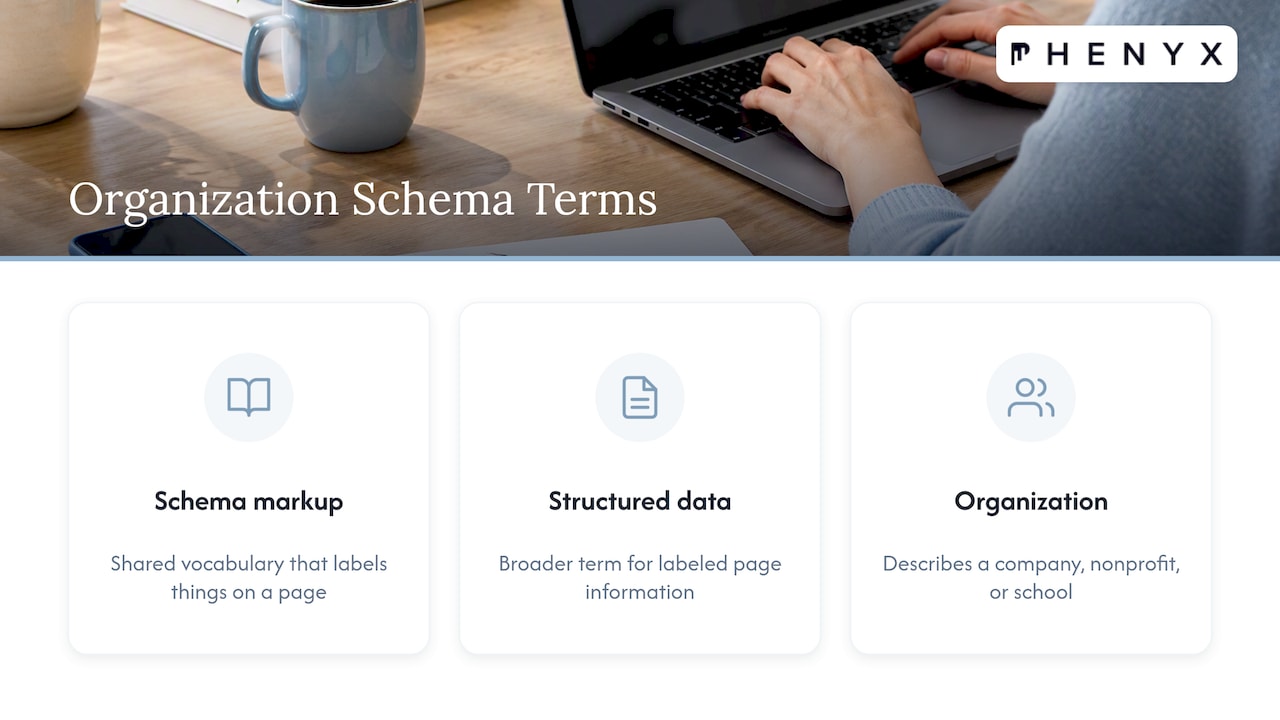
Schema markup is a shared vocabulary that lets you label the things on a page so a machine can read them without guessing. Organization is one type in that vocabulary. It describes a company, nonprofit, school or any other group, and it carries the facts that identify it.
Google’s own documentation explains that Organization structured data can help Google understand your organization’s administrative details and disambiguate it in search results. Disambiguation matters more than it sounds. If your company name is shared with another business, or is a common phrase, explicit signals help search engines connect the right logo, website and contact details to the right entity.
People also search for this as organization structured data. The two phrases mean the same thing: “schema markup” is the vocabulary, “structured data” is the broader term for labeled information on a page, and Organization is the type you use to describe your business as a whole.
What organization markup can and cannot do
Think of it as a clear introduction. It gives Google a reliable source for your basic facts, and it can influence how your brand appears in search.
According to Google, this markup can influence search visuals such as the logo and knowledge panel. Merchants can also influence details such as return policy, address and contact information. Search Engine Journal has described it as a way to help Google match your logo to your website and organization, which is a strong signal for the logo shown in a knowledge panel.
Here is the honest boundary. Google states that it does not guarantee that features built on structured data will appear in results. Organization markup is not a ranking switch. What it does is remove ambiguity, and that is a solid foundation for everything else in your SEO and answer engine work, because AI-driven search tools also lean on clearly defined entities.
Which properties should you include?
Google lists no required properties for Organization. The guidance is to add as many relevant properties as apply to your organization. In practice, that means filling in what is true and verifiable, and skipping what is not.
The recommended properties include name, alternateName, url, logo, address, telephone, email, description and foundingDate. Identifiers such as NAICS, taxID and DUNS may also apply. In late 2023, Google expanded its documentation to support additional fields, including legalName and numberOfEmployees.
| Property | What to enter | Tip |
|---|---|---|
| name | Your public brand name | Match your logo and site header |
| legalName | Registered company name | Use if it differs from the brand |
| alternateName | Abbreviations or common variants | Only names people really use |
| url | Canonical homepage URL | Use the version that resolves without redirects |
| logo | Direct URL to the logo image | Crawlable, indexable, at least 112x112 px |
| address | Full postal address | Same format as your Google Business Profile |
| telephone | Main business line | Include the country code |
| Public contact address | Use a role address, not a personal inbox | |
| description | One or two plain sentences | Avoid keyword lists |
| foundingDate | Year or full date | Must match your About page |
| sameAs | Official profiles | LinkedIn, YouTube, and other pages you control |
On the logo, Google says the image must be at least 112x112 pixels, and its URL must be crawlable and indexable. A logo behind a login, blocked in robots.txt or set to noindex will not do its job.
If you use a global identifier such as a Dun & Bradstreet number, Google recommends that the iso6523Code property separates the ICD and the identifier with a colon, with 0060 used for Dun & Bradstreet.
Organization or LocalBusiness schema?
This is the question that trips up most local companies. Organization describes a company in general. LocalBusiness is a more specific type for businesses with a physical presence, such as a restaurant, clinic, salon or store.
Google’s guidance is that a local business should use the most specific LocalBusiness subtype and follow its required and recommended fields. So the rule of thumb looks like this:
- Online-only, multi-location or corporate entity: use Organization on the homepage or About page.
- A single storefront or service-area business: use the most fitting LocalBusiness subtype instead, since it is built for hours, location and similar details.
- A company with both a corporate identity and local branches: describe the company with Organization, and give each location page its own LocalBusiness markup.
Whichever you choose, keep the facts consistent with your Google Business Profile. If you want to tighten that side, our Google Business Profile optimization checklist walks through the fields that should match your markup. Franchise brands face an extra layer of this, and we cover it in why SEO matters for franchises.
A simple JSON-LD example
Google supports several formats, and JSON-LD is the one most teams pick because it sits in one block, apart from your visible HTML. Here is a clean starting point with placeholder values. Replace every value with your own real details.
{
  "@context": "https://schema.org",
  "@type": "Organization",
  "name": "Example Company",
  "legalName": "Example Company, LLC",
  "url": "https://www.example.com/",
  "logo": "https://www.example.com/images/logo.png",
  "description": "A short, plain description of what the company does.",
  "foundingDate": "2015",
  "email": "hello@example.com",
  "telephone": "+1-555-555-0100",
  "address": {
    "@type": "PostalAddress",
    "streetAddress": "123 Main Street",
    "addressLocality": "Denver",
    "addressRegion": "CO",
    "postalCode": "80202",
    "addressCountry": "US"
  },
  "sameAs": [
    "https://www.linkedin.com/company/example",
    "https://www.youtube.com/@example"
  ]
}
A few notes on this snippet. The sameAs list should contain only profiles you actually run. The address must be a real, public business address. And the description should read like something a person would say, not a string of search terms.
Where to place it
A common worry is whether this markup belongs on every page. It does not. Google recommends putting Organization structured data on the homepage or a single page describing the organization, such as the About Us page, and says it need not appear on every page.
That saves you maintenance too. One block on one page means one place to update when your phone number or logo changes. Other pages can carry their own markup for their own content, such as Article, Product or FAQ types, without repeating the company profile.
How to add it, step by step
- Gather your facts. Collect your legal name, brand name, address, phone, email, founding year and any identifiers. Confirm they match your site footer and business listings.
- Prepare the logo. Use a clean version at least 112x112 pixels, hosted at a stable, crawlable URL.
- Write the JSON-LD. Start from the example above and keep only properties you can back up.
- Add it to the page. Paste the block into the head or body of your homepage or About page. In Webflow, this goes in the page settings custom code area. On WordPress or Shopify, a theme setting or an SEO plugin may handle it. Google notes that if you use a CMS, a plugin may make implementation easier.
- Validate it. Run the page through the tests described below.
- Publish and request indexing. Use URL Inspection in Search Console so Google recrawls the page.
- Review on a schedule. Check the markup whenever you change branding, contact details or your site platform.
Validating and fixing errors
Google’s process is simple. Run your code through the Rich Results Test and fix any critical errors. After the page is live, use URL Inspection to test how Google sees the page.
When something fails, the cause is usually one of these:
- Broken JSON. A missing comma or an unclosed bracket invalidates the whole block.
- Unreachable logo. The image URL returns an error, is blocked from crawlers, or is noindexed.
- Mismatched facts. The markup says one phone number and the page says another.
- Wrong type. A single-location restaurant tagged only as Organization, when a LocalBusiness subtype fits better.
A validator tells you whether the syntax is sound. It cannot tell you whether your facts are right, so read the output against your real business details too.
Mistakes that weaken your markup
Most problems come from good intentions applied carelessly.
Marking up things visitors cannot see. Structured data should reflect your actual business. Do not claim awards, review ratings or employee counts you cannot support.
Copying a template without editing it. We see sites that still carry another company’s name or a placeholder address in their code. Search engines read it all.
Duplicating conflicting blocks. A theme adds one Organization block, a plugin adds another, and a developer adds a third with different details. Pick one source of truth and disable the rest.
Forgetting about the redesign. New site, new URLs, new logo path. The markup quietly breaks. If a rebuild is on your roadmap, add schema review to the launch checklist, as covered in our post on website design best practices.
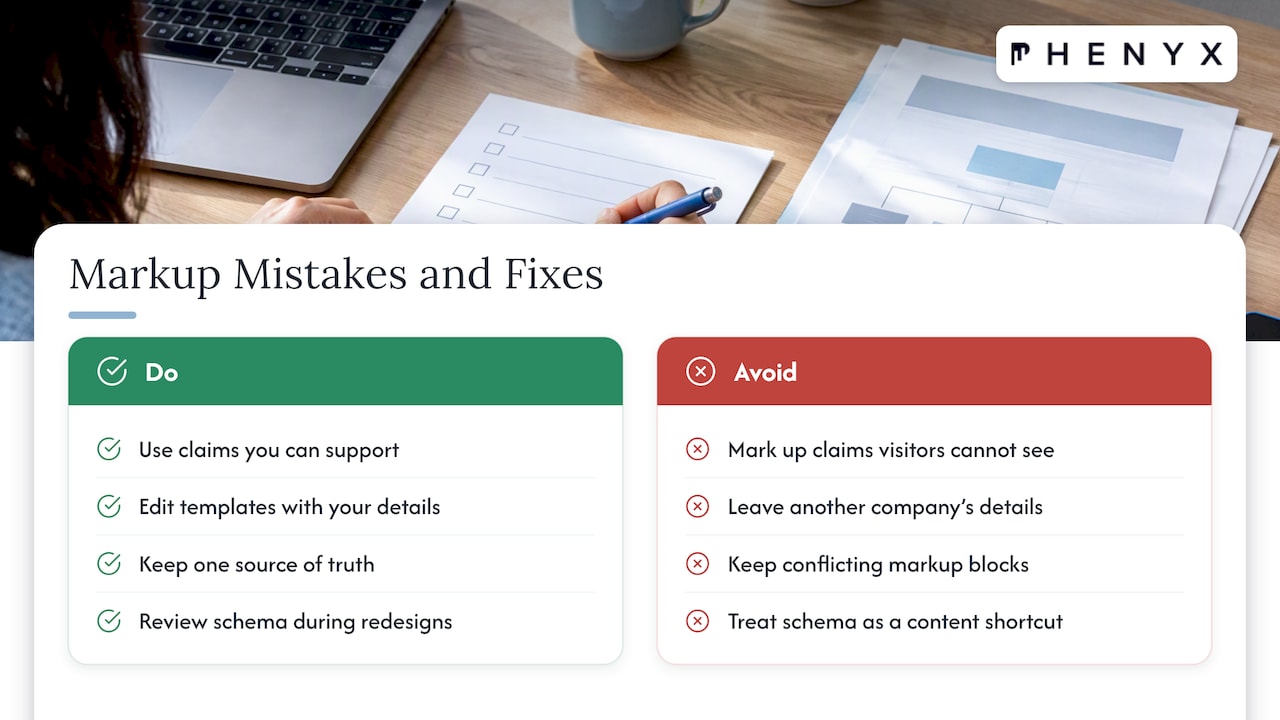
Treating schema as a shortcut. It supports good content and a sound site. It does not replace them. A technical SEO audit of your top pages will usually uncover bigger wins first, and schema then adds clarity on top.
Our perspective
We treat Organization markup as part of a brand’s identity layer, not a plugin checkbox. The same name, logo, address and description should appear on your site, in your structured data, on your business profiles and in your social accounts. When those agree, search engines and AI answer tools have less to guess about.
That is one reason we keep web design, SEO and AEO, and branding under one roof. The person choosing your logo files, the person building your pages and the person writing your markup are on the same team, so the details do not drift apart. A structured approach to entity clarity is built into how we plan SEO and AEO work, tailored to each client rather than pulled from a template.
Our advice to growing businesses is simple: get the foundation right once, keep it consistent, and review it whenever the brand changes. It is a small piece of technical work with a long shelf life.
PHENYX
Get your foundation set up right
If you would rather not wrestle with code, our team handles schema, site structure and entity consistency as part of our SEO and AEO services. Our MODS subscription, which starts at $4,000 per month, bundles ongoing marketing support, from web and SEO to branding and video, delivered by a single in-house team across our Denver and Lafayette, Tampa and Dallas-Fort Worth offices.
If your site needs a rebuild before the markup goes in, our website design team can build the structure and the structured data together.
FAQ
What does schema markup mean?
Schema markup is code that labels the content on your page so search engines can interpret it precisely. It uses a shared vocabulary, with types such as Organization, Product and Article. The code is usually added as JSON-LD and is invisible to visitors.
Should organization schema be on every page?
No. Google recommends placing it on your homepage or on one page that describes your organization, such as the About Us page. Repeating it everywhere adds maintenance work without giving Google more information.
What is the recommended format for implementing schema markup?
JSON-LD is the format most teams use, and Google supports it for Organization structured data. It keeps the data in a single block that is easy to edit and test. If your site runs on a CMS, a plugin may be able to generate it for you.
Does organization markup improve my rankings?
Not directly, and Google does not guarantee that any structured data feature will appear in results. What it does is help Google understand your business and, in some cases, influence elements like your logo and knowledge panel. Treat it as clarity, not a ranking lever.
Do I need Organization or LocalBusiness schema?
If you run a physical location such as a restaurant or store, Google recommends the most specific LocalBusiness subtype. Online businesses, corporate entities and brands with several locations generally describe the company with Organization. Many companies use both: Organization for the company and LocalBusiness on each location page.
Sources
- Organization structured data, Google Search Central
- Organization structured data (logo and identifier guidance), Google Search Central
- Google Search Organization markup adds name, address, contact information and business identifiers, Search Engine Land
- A Guide To Organization Structured Data For Rich Google Results, Search Engine Journal